

Deployment Hub

"Predictive Cortex™ acts as a decision layer"

Review your Sequence Statistics

Estimated reading: 1 minute 448 views Contributors

Sumary: Learn how to check and review your sequence statistics

To understand the reach of your sequences, the platform provides you with a specific report for each configured sequence. Here we explain step by step where you can see these results:

  1. Access your sequences from the main menu.:
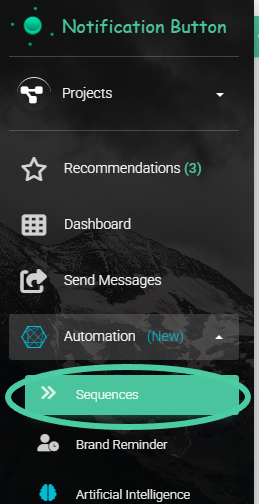
2. Click on any sequence you have created:
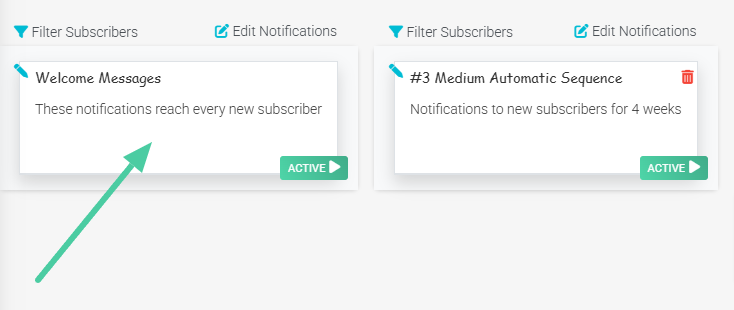
3. Once you are in the details of your sequence, click on the chart icon located on the cards that make up the sequence.:
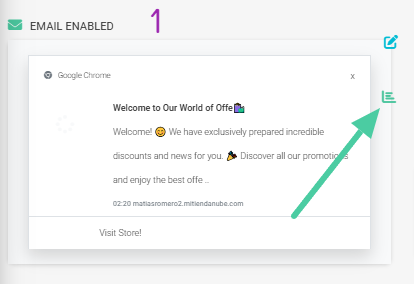
4. There appears the specific report of that message. You can consult.:

  • Left panel: Number of messages sent and the status of message views. It breaks down as follows: Total clicks, Notifications shown but without actions, Shown but closed by the user, Not yet shown.
  • Right panel: Number of clicks made by subscribers. It breaks down into the following: Clicks on the image or text, Clicks on the right button, Clicks on the left button.
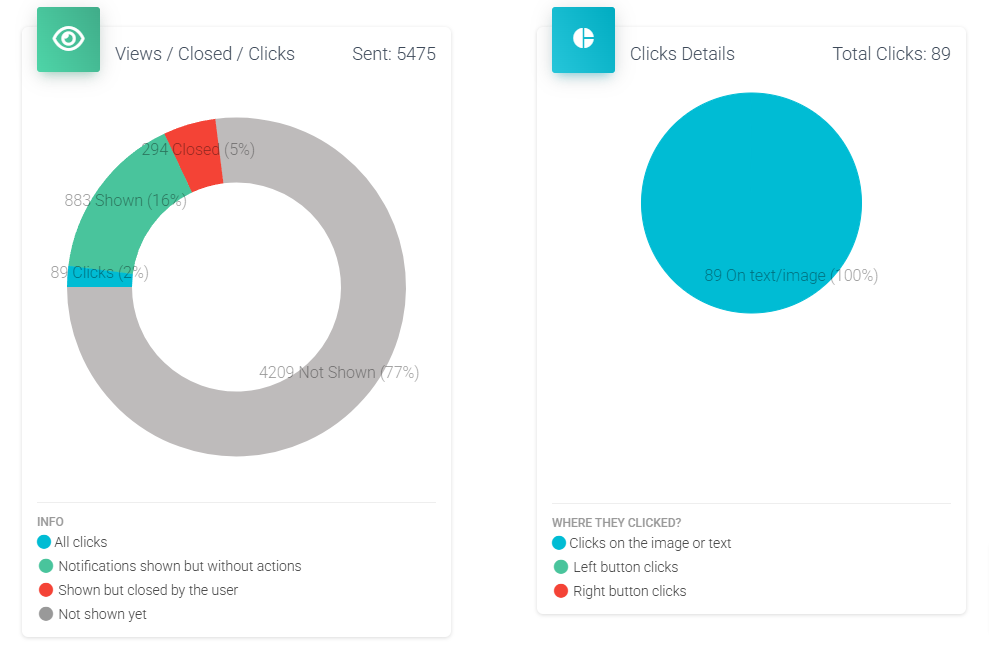
Remember that all reports provide you with information about the effectiveness of the actions you take through the platform. Identify your weaknesses and enhance your strengths to create a greater impact with your messages.

Share document

Review your Sequence Statistics

or copy link

CONTENTS

Predictive Cortex™ & Lifestyle Engine

Protocolos de Etiquetado y Segmentación

Los protocolos de etiquetado son un mecanismo fundamental para la hiper-segmenta...

Lifestyle Engine™: Contextualization and Visual Scalability

In high-volume E-commerce, visual content production is often a massive cost cen...

Custom footers and headers for Emails

The emails you send to your customers are an extension of your brand. Now you ca...

Cleaning of inactive subscribers

Cleaning up your subscribers is something you really need to do to keep your con...

How to connect your TikTok account

Did you know that the same message you send to your subscribers could be reachin...

Add Gifs to my Emails

In a world where attention is key, the key to standing out is connection. GIFs a...

Dynamic Field Insertion Protocols

The use of dynamic fields allows for precise contextualization of each communica...

Email Editor

Our upcoming professional email editor lets you fully customize your campaigns w...

How to login with Pinterest

Learn how to login and link your Pinterest with NotificationButton

Revenue Milestone Visualizer

This chart reveals the precise behavior of Profiles before each revenue realizat...

Pinterest Integration in iCortex

Procedure for the scheduled publication of visual content on Pinterest from the ...

Chat Icon Close Icon