

Learn about Smart Audiences

The platform comes with four pre-made audiences by default. Subscribers are automatically categorized into these audiences once the app is installed and in use.
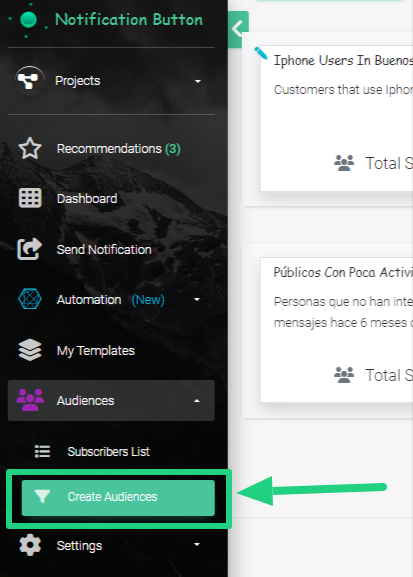
To view the automatic audiences, click on ‘Audiences’ and then on the ‘Create Audiences‘ option:
In there you will see all four of the Pre-made Audiences:
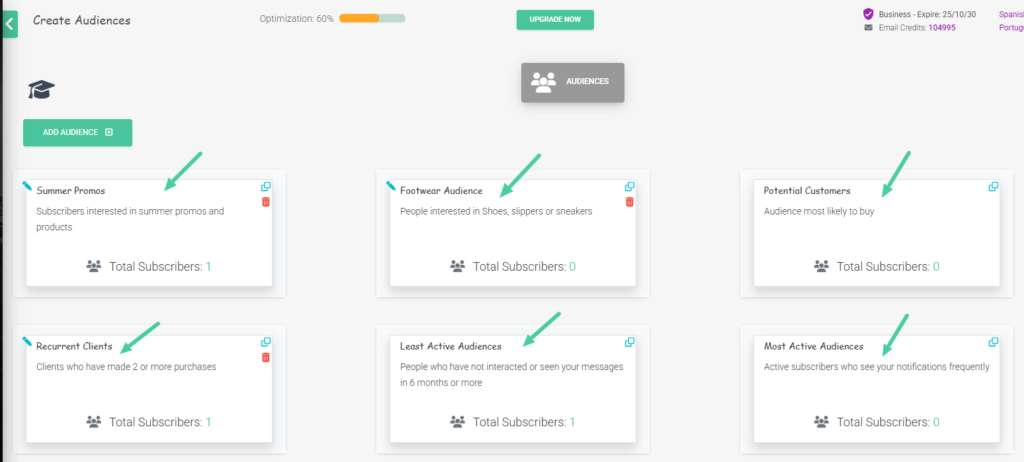
Types of Audiences
- Potential Customers. They are highly likely to make a purchase. They are just a step away from becoming customers. (Send 1 or 2 messages per week. Be sure to segment by the ‘cart’ or ‘purchase’ tags to target only those who didn’t complete the sale, or by product categories).
- Most Active Audiences.These are your number one fans. They view and interact with your messages more than anyone else. (Communicate with them once a week).
- Active Audiences.These are the ones who have interacted with your messages in the last 6 months. They are attentive to what you say. (Reach out to them every 15 days).
- Low activity Audiences. They haven’t viewed or interacted with your messages for 6 months or more. They are a bit dormant, but don’t write them off. (Send 1 message per month with a very aggressive offer
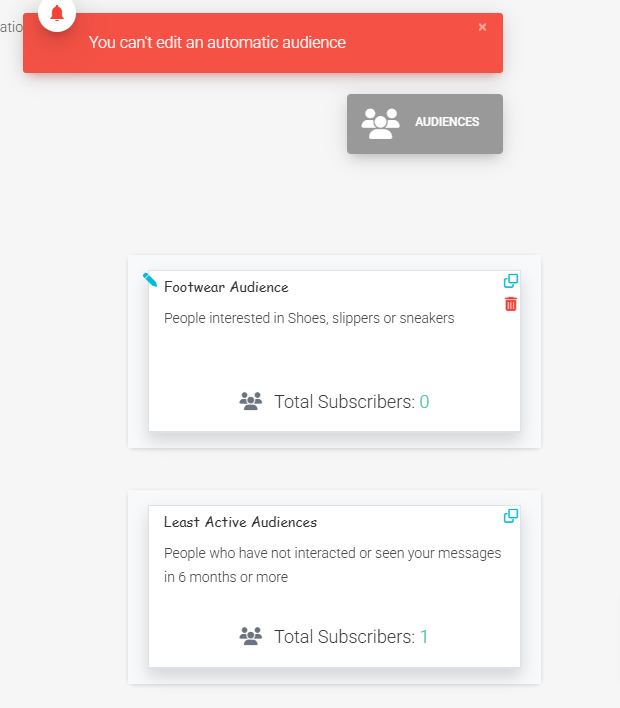
It´s important for you to know that Smart Audiences can´t be modified or deleted:
Nonetheless, these audiences can be duplicated by clicking on the “Duplicate” icon:
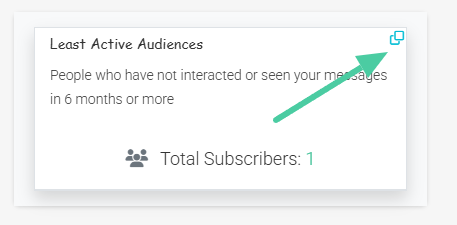
Why would we clone an audience? This would allow you to add other filters to obtain information that is important for your strategy. For example: if we clone the “Potential Customers” audience from the last 30 days and add the filter of “Tierra del Fuego,” we will have people from that area who have shown interest in the last 30 days.
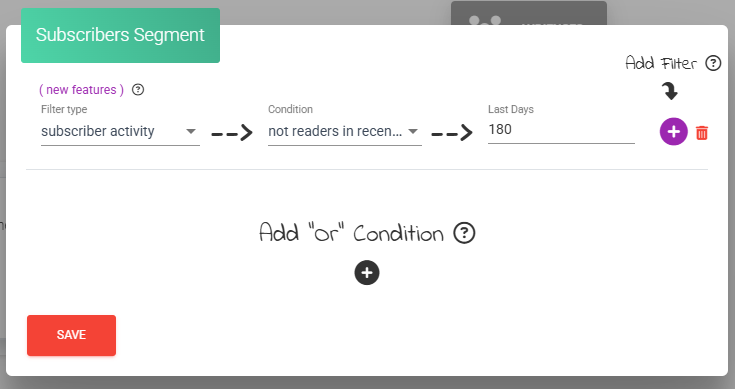
Likewise, you can create your own audiences; in this section, we will teach you how.
Tip: remember to add the right audience based on the type of message you are sending. For example, if it’s a discount message to promote a purchase, you can use the “Potential Customers” audience, who would be the most motivated to make a purchase.
Now that you know what automatic audiences are for, it’s time to send notifications and boost sales. Go for it, this tool will make your job easier.


