
How to login with Pinterest

Sumary: Learn how to login and link your Pinterest with NotificationButton
Se estima que el 70% de los usuarios de Pinterest son mujeres. ¿Tienes mucho público femenino?
Pero no solo eso, además es especial para el ecommerce ya que permite llevar los clics de tus publicaciones directamente a tu tienda online y sugerir tus productos a personas que están viendo publicaciones similares.
Sigue estos pasos para publicar una imagen en Pinterest directamente desde tu cuenta de Notification Button.
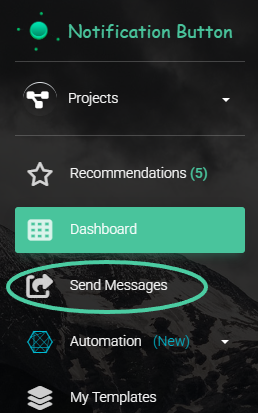
1. Go to “Send Messages”
In the left sidebar, click on “Send Messages”.
2. Write a message for social Networks
Write an attractive title and description that highlights the product or content.
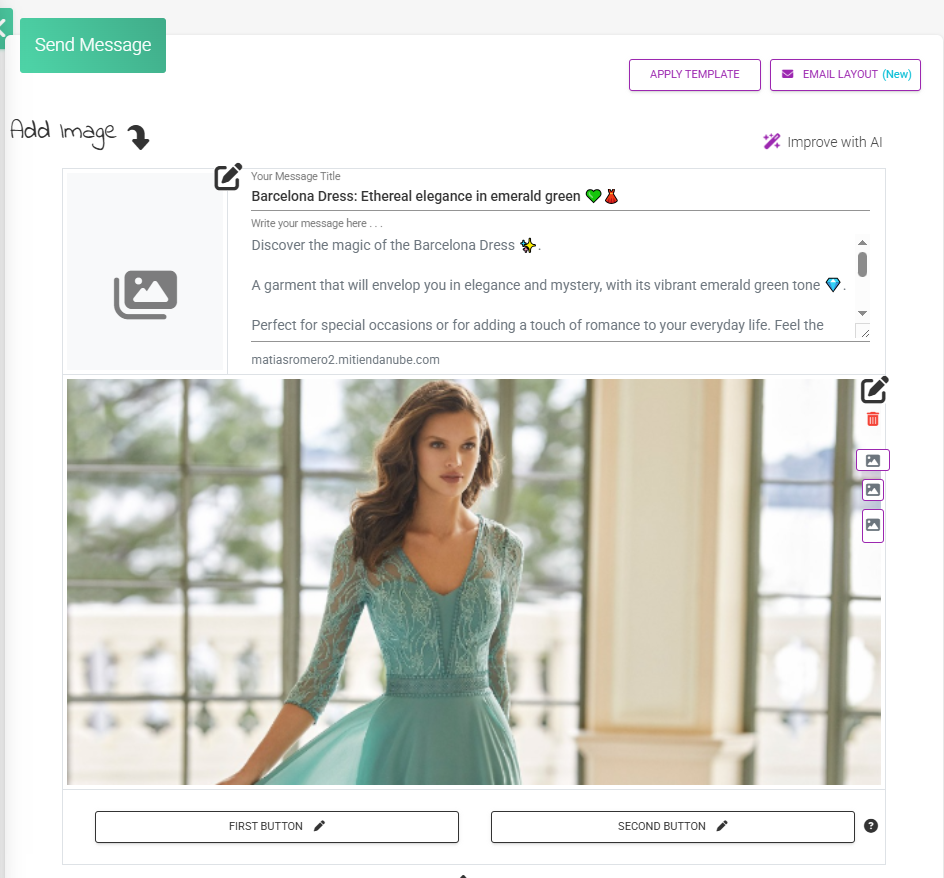
Then, add the image you want to post.
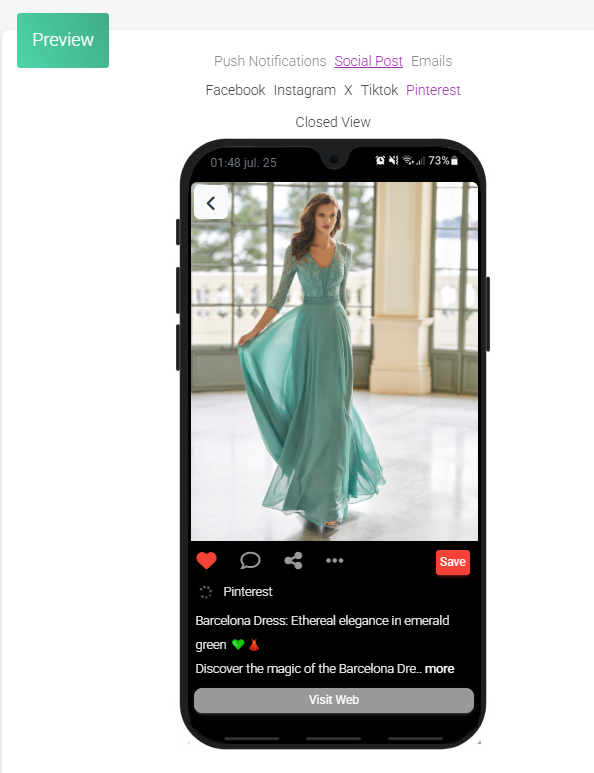
3. Preview the message.
En la parte derecha, dentro de la sección Vistas, haz clic en “Posteo en Redes” y selecciona Pinterest.
Verás una vista previa de cómo se mostrará tu publicación en Pinterest.
4. Connect your Pinterest account
In step 4 of the process, activate the Pinterest button and click Renew Permissions.
Si no estás logueado, se te pedirá que inicies sesión con tu cuenta de Pinterest.
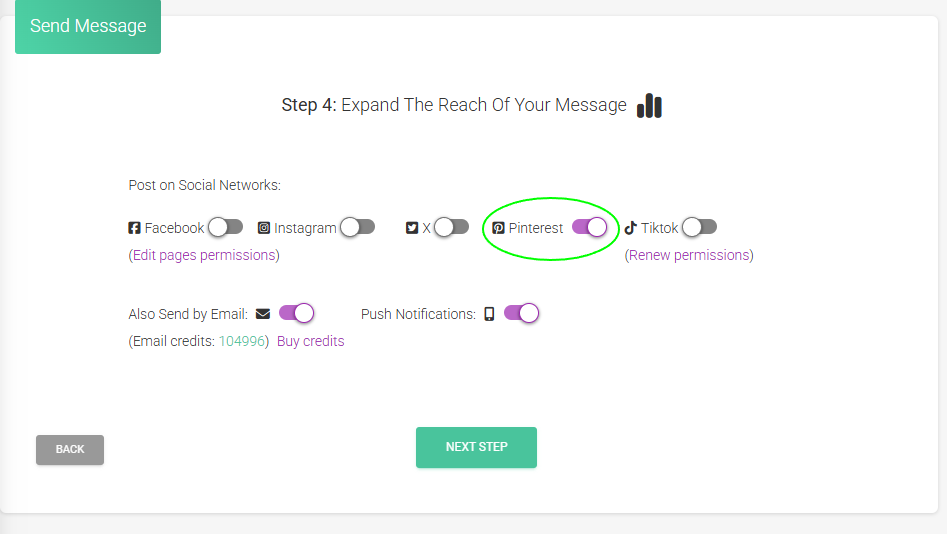
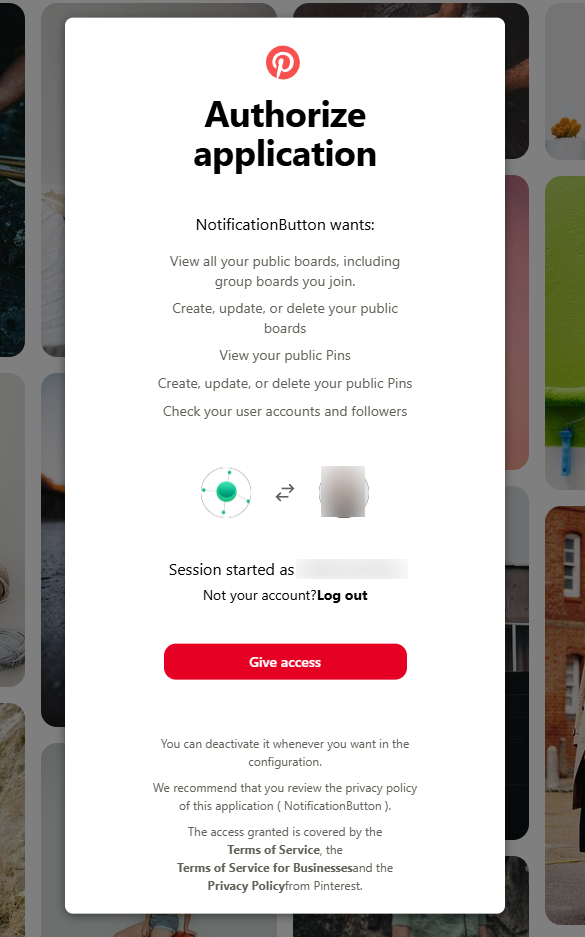
Luego verás una pantalla de autorización donde NotificationButton solicita los permisos para publicar en tus tableros. Haz clic en “Dar acceso”.
Choose the Pinterest board
Once the application is authorized, you must select the Pinterest board where you want to publish your message.
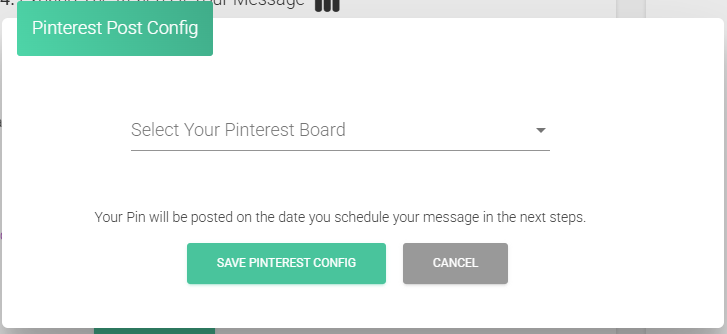
Click the dropdown, choose the board, and then press “Save Pinterest settings“.
6. Schedule publish date and time
In the next step, choose the day and time you want your message to be published.
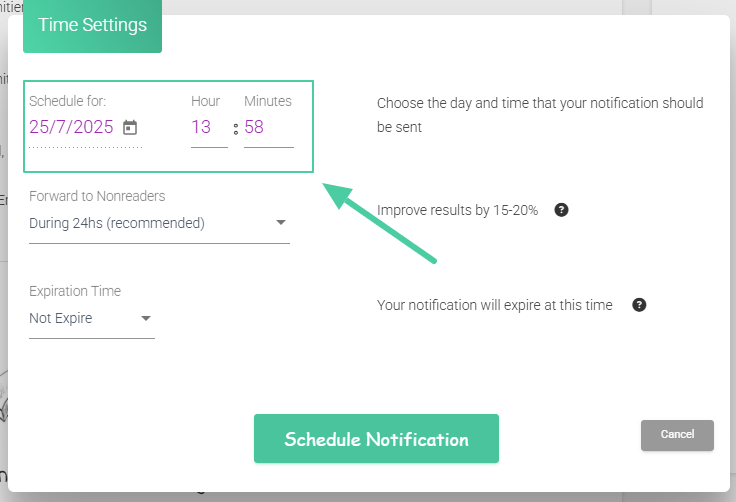
Click “Schedule Notification” to finish.
✅ ¡Listo! Tu mensaje se publicará automáticamente en Pinterest en la fecha programada.
Ahora cada vez que envíes noticias a tu lista de seguidores puedes transformar ese mensaje en una publicación de Pinterest y otras redes sociales para expandir el alcance de tus productos.
¡Ya llega, falta muy poco!


