

Email sending Setup

NotificationButton allows you to automatically convert your web notifications into an email. To do this, set up the general information of the emails that your subscribers will receive.
Setting this up is very simple; log into the platform with your admin username and password and follow these steps:
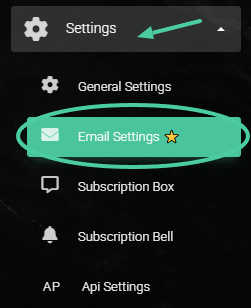
- In the main menu located on the left, click on “Settings” to expand the submenu, then click on the option “Email Sending“:
You can also access it directly here.
2. Once there, you will see the following screen.:
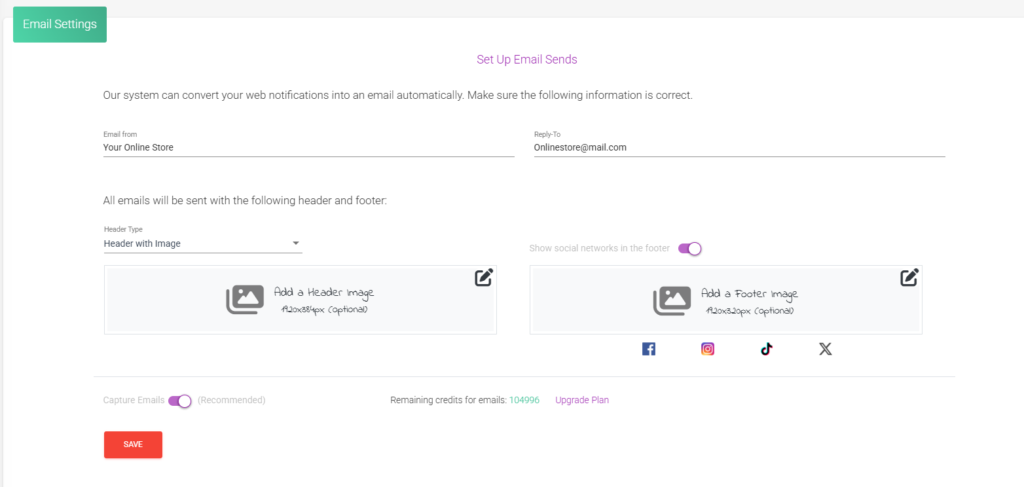
3. It is important that you configure all the information. In the “Email From” field, enter the name of your online store:

4. In the “Reply to” field, enter the email address where you will receive responses from your subscribers:

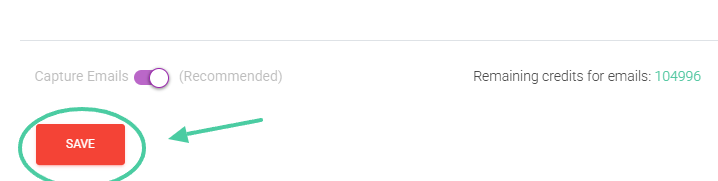
5. When you have the correct information in both fields, click on “Save“:
❗️ Important: Make sure that the notification status is activated.
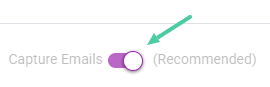
You can deactivate it whenever you wish, but we recommend keeping it active; this way, you will increase your chances of selling.
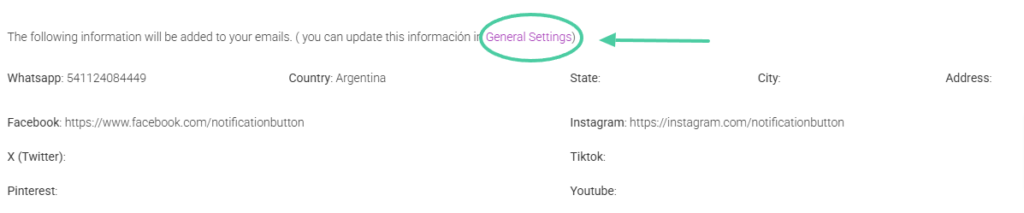
Your store’s contact information will be added to all your emails. You can check at the bottom to verify that the information is correct. If you want to modify something, click on “General Settings” (you can expand the information in this section here).
It’s that simple to set up the information to send emails to your subscribers. This powerful tool will be a great ally in keeping your subscribers updated on your brand’s news 🤗.
What do you think? Shall we give it a try?


